How Sterling IT survived a data disaster with external backups
Introduction
Sterling IT is a company that provides IT services and solutions to various clients. In 2015, they faced a major data crisis when their vendor, who hosted their email and remote desktop servers, suffered a complete system failure and lost all their data. The vendor had promised to have geolocation backups, but they all failed as well. Fortunately, Sterling IT had their own external backups with different providers, and they were able to restore their clients’ data and operations. This story shows the importance of having external backups and not relying on the source provider alone.
The incident
Sterling IT had signed up with a vendor who claimed to have geolocation backups x 3, meaning that they would store their data in three different locations for redundancy and security. However, in 2015, the vendor experienced a catastrophic failure that wiped out all their data, including their backups. Sterling IT and their clients were left without access to their email and remote desktop servers, which were essential for their business operations. The vendor could not recover the data or provide any explanation for the failure.
The recovery
Luckily, Sterling IT had a habit of backing up their data to other providers, such as Dropbox, Cloudally, Barracuda, Datto, Crashplan Enterprise, and more. They did not trust the source provider or their backup tools, and they wanted to have a second copy of data elsewhere in case of a disaster. They were able to use their external backups to restore their data and get their clients back up and running on new providers. They also learned from the incident and improved their backup strategies and policies. They realized that having external backups was crucial for their business continuity and reputation.
Conclusion
Sterling IT’s story is a true example of how external backups can save a business from a data disaster. It also illustrates the risks of relying on the source provider or their backup tools, which may not be reliable or secure. Sterling IT advises other businesses to backup externally and not to trust the provider’s promises. They also recommend using multiple backup providers and methods, such as cloud, local, and hybrid backups, to ensure data protection and availability. By doing so, businesses can avoid data loss, downtime, and damage to their reputation and customer trust.
Watch below the importance of WHY we recommend 3rd party backups.

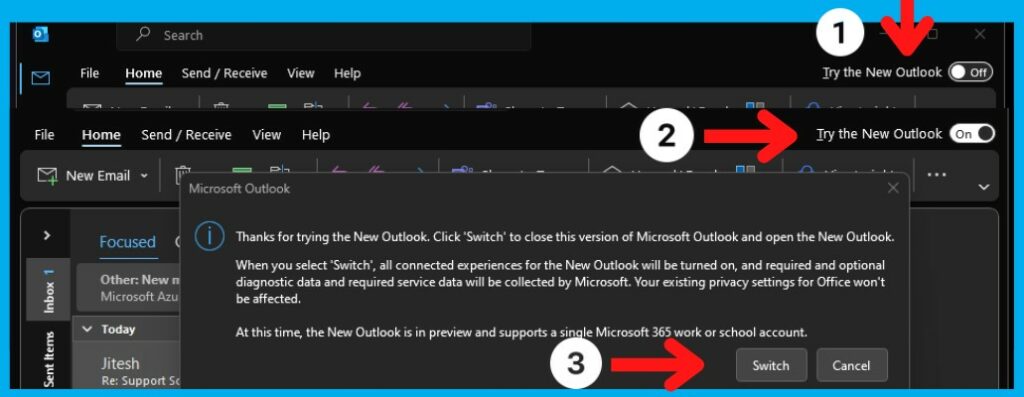
Have you clicked the New Outlook trial button and cannot get back to the original Outlook 365?
Switch from ‘new’ Outlook (2023) to ‘classic’ outlook
Once flipped on, the toggle is irrelevant since the “old” version still exists. J. You should still be able to find its shortcut in Start (and wherever else you might have had it before), but if not you will see outlook.exe in one of these places (may vary slightly depending on edition), so if necessary make a new shortcut:
I have personally tried to revert back and would not work, so I needed to edit the registry, so this is how to fix the problem or restoring the look back to original.
Read more: Reverting & changing back Outlook new look option back to normal.C:\Program Files\Microsoft Office\root\Office16
or here:
C:\Program Files (x86)\Microsoft Office\root\Office16
The nice thing about the New Outlook is that it’s not an either/or proposition (like New Teams is).
You have both old and new. You can even run them concurrently.
But if running that actually runs New Outlook for you (some have reported that’s the case), then either:
1) Uninstall Outlook (not required in most cases)
or
2) run Regedit.exe and go here (or the same with 15.0, if you don’t have 16.0):
HKEY_CURRENT_USER\SOFTWARE\Microsoft\Office\16.0\Outlook\Preferences
And in that you will see UseNewOutlook
Set it to 0, which means that running old Outlook actually runs it.
Hope this has helped you, leave us some feedback please.
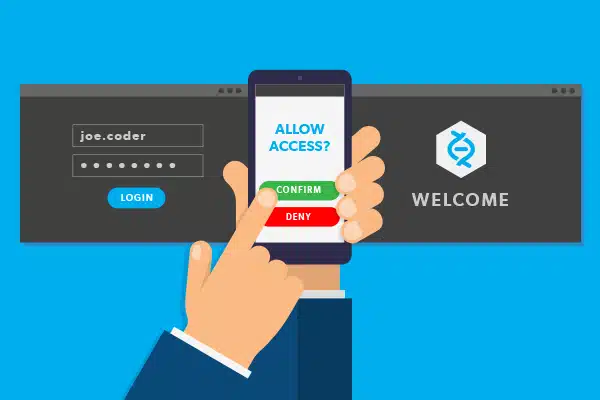
Microsoft are forcing, as of the 15th September 2023, Authenticator apps over text and voice authentication to improve security.
Here is some help on how to get the APP installed and running on your mobile device.

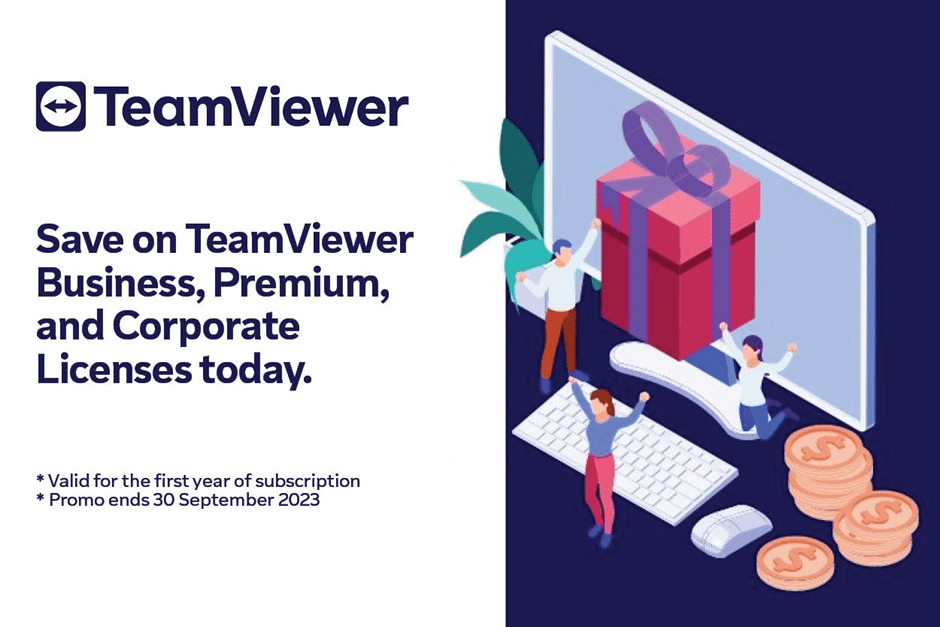
Save 35% discount on Business, Premium, and Corporate Licenses on the first year of subscription.
TeamViewer licenses enable anyone to excel in their job, whether you work from home, require remote access, or provide IT assistance; if you are a freelancer, IT administrator, or part of a full-blown enterprise support staff.
TeamViewer licenses control and support any device, across platforms – from anywhere anytime.
What will you get with this limited offer?
- World’s most trusted remote access, control, and support software.
- Work from anywhere with full access to any device
- Instant remote support for customers and employees
- Support any mobile device.
- No compromise in performance, security, stability, or ease-of-use
But this incredible offer won’t be around for long, as this discount is only valid till 30 September 2023.
Please contact us on 02 9756 6866 for more information about this offer and how to order.
Stay connected,
*Offer valid on the purchase of new Business, Premium, or Corporate licenses only for the first subscription year. Excludes renewals and upgrades.
We have had reported by a client that when changing the FROM from the pull down when replying or creating an email, it reports “Retrieving templates from server”
To work around the issue, you can select Cancel on the prompt and proceed to choose the From account to send with.
If you urgently need to avoid the prompt, you can try reverting back before the issue started.
Reports show that this issue the problem appeared to start in Version 2206.
To revert the Office M365 Click-to-Run installation to Version 2205:
- Exit all Office applications.
- Click Start, type cmd in the Search box, right-click Command Prompt (or cmd.exe), and then select Run as administrator.
- In the command prompt dialog window, type the following two command lines, pressing Enter after each command line:
- cd %programfiles%\Common Files\Microsoft Shared\ClickToRun
- officec2rclient.exe /update user updatetoversion=16.0.15225.20288
- When the repair dialog box appears, choose Online Repair.
- Select Repair, and then click Repair again.
- When the repair is done, open Outlook and select File > Office Account.
- Select Update Options and choose Disable Updates.
Note: To prevent the version of Office that caused the problem to be re-installed you’ll need to temporarily disable automatic updates.
- Set a reminder to check this article in the future for a resolution. Once you’ve seen that the issue has been fixed, please make sure to re-enable automatic updates in Office again. – Outlook prompts “Retrieving templates from server” after selecting the From field drop down – Microsoft Support
If Build 15225.20288 is not available when you try this workaround, see this article for other builds for Version 2205 you can revert to: Version and build numbers of update channel releases.
One money saving feature in Microsoft 365 suite is “shared mailboxes”.
How does this work and save you money?
Well, normally when you need a new mailbox in Microsoft 365, you buy another subscription and create a mailbox, put in the details, User name, email address password, and create it.
One more monthly expense to Microsoft.
We are often asked why dropbox over free onedrive?
Why should I pay for something I can get free?
One of the biggest reasons, besides what we see below, if that Dropbox’s primary product is Dropbox, and if this product fails, the whole company does.
On the other hand Microsoft, Google and others have a suite of products meaning that they are not reliant on one product, and therefore can “sometimes” not put the effort in. I am in no way saying this cant or wont change in the future
As spam, and more importantly, phishing and other malicious emails are becoming a more and more serious issue, companies are installing email filters such as TopSec Blockmail or Barracuda.
These mail filters scan the emails on many levels and use AI, keyword triggering, blacklist lookup and many other ways to determine if an email is safe to deliver or not.
One of the most basic checks, yet not well understood, is the SPF record (Sender Policy Framework). (more information at WIKI as well)
Read More
Have you tried to click a link in an email and it does nothing?
However you can right click and COPY and PASTE into a browser and works ok?
The problem seems to be google chrome doing something in the registry to stop it from working.
You may also get the following error messages
This operation has been cancelled due to restrictions in effect on this computer. Please contact your system administrator.
Read MoreSet up 2-step verification for Office 365
Once your admin enables your organization with 2-step verification (also called multi-factor authentication), you have to set up your account to use it.
By setting up 2-step verification, you add an extra layer of security to your Office 365 account.
When you sign in with your password, a code sent to your phone as a second verification that it is you and not someone else with your stolen password.
- You will need to check if your admin has turn on multifactor authentication.
If they haven’t, when you try to do these steps you won’t see the options in Office 365. - Sign in to Office 365 with your work or school account with your password like you normally do.
The quickest was is https://portal.office.com
After you choose Sign in, you’ll see this page:
Sterling IT has been providing clients in Wetherill Park, Smithfield, surrounding suburbs, as well as the whole of Australia, Managed Services before it become a buzz word.
How do you check if your company’s and personal passwords have been breached and are for sale on the dark web?
Read More
To recover the files the admin must follow these steps:
Read More
This method of mirroring is FREE and NO DOWNLOADS required. Using Quicktime not only can you mirror but a simple click and can record as well.
The only thing that is on the downside, is you must plug the phone in to the computer with your Apple cable.
Sterling IT has a client base around Australia, and we are always looking at partnering with reliable, professional and caring IT specialists around Australia, New Zealand and Singapore.
We currently have a number of partners down the eastern seaboard of Australia. We might be located in Sydney however are not restricted by location.
Some of our partners include:
- Techpath
- Petras Technology
- NCC Solutions
- IT Switch
- Diamond Creative – Web
- Sidewinder Computer Services
- Equipt
- and some smaller companies as well just to name a few
Adding a user to your system is quite simple via the GUI, however there may be times you wish to mass deploy or run via a script. Below shows the commands on how to do this. Adding a new user to a Mac computer from a Terminal window requires you to define the user’s name, set a password, create the user’s home directory and configure her system permissions.